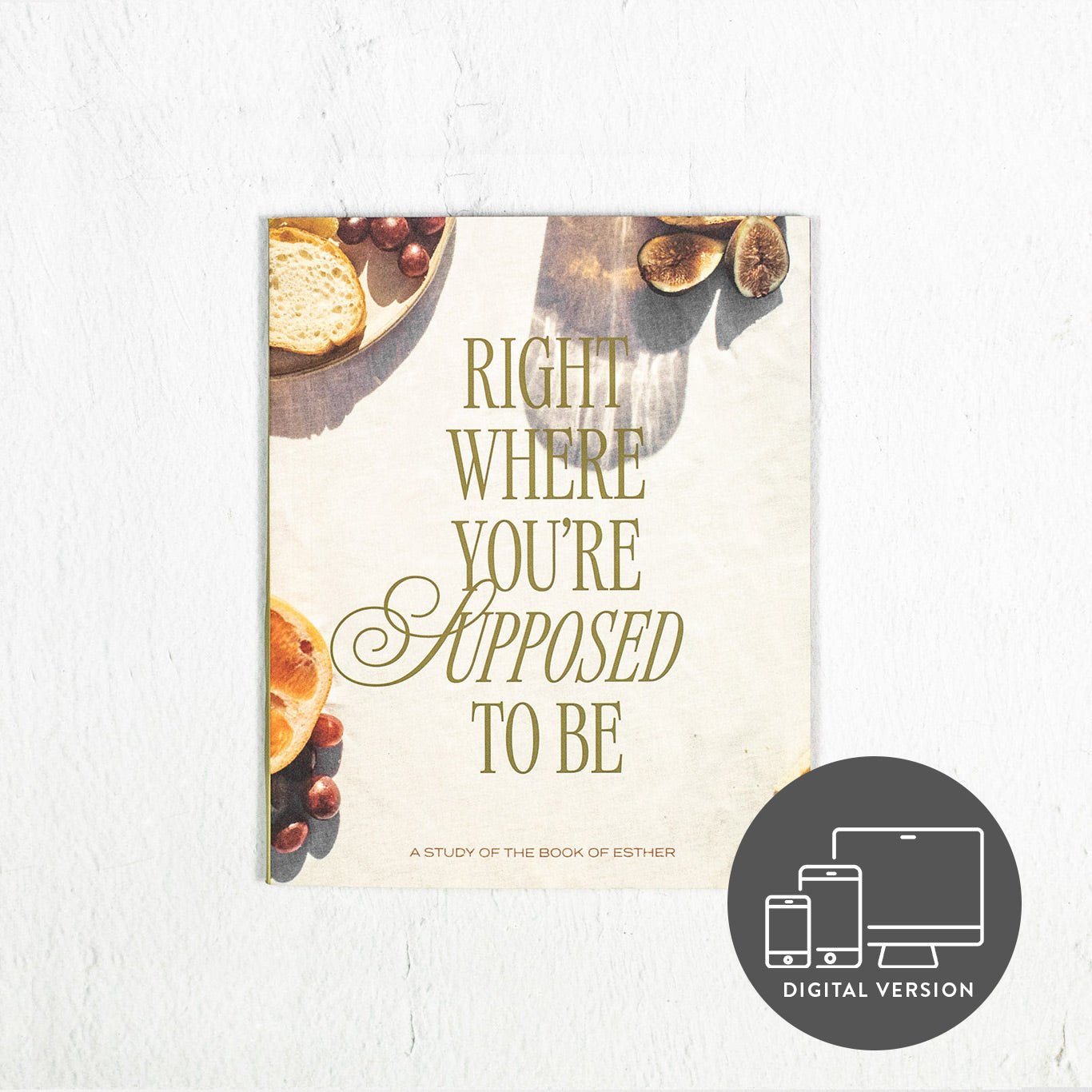


Right Where You’re Supposed To Be: A Study of the Book of Esther (Digital Version)
Right Where You’re Supposed To Be: A Study of the Book of Esther (Digital Version)
*This is a digital product only. It will be automatically delivered to the email address provided at checkout. This is a non-refundable item.
This is a First 5 study guide on the book of Esther. Join us for a free six-week study in the First 5 app.
Esther is an unlikely heroine with much to teach about God’s presence in hard and complex scenarios. As we explore and reflect on her story, we will learn the importance of discerning who influences us, watch as God protects His people, and discover He can use us right where we are.
And even when we don't know where He is or what He is doing, we can still participate in God's good plans as we take one obedient step after another. God isn't asking you to figure out all the solutions ... He's simply asking you to show up.
This study guide includes:
- Daily study questions to deepen your understanding and show you how the book of Esther is relevant to your life today.
- Weekend reflections and prayer prompts that will help you process what you are learning and spend time in God's presence at the end of a busy week.
- A deep dive into themes and topics from the book of Esther that give you a richer context so you can see why this book matters in the story of Scripture.
- Other additional content, graphs and charts that will help you know and apply Truth from Esther.
Product Details:
Authors: Rachel Booth Smith
Format: Printable and Interactive PDFs
Pages: 129 (Six-Week Study)
Published: 2023
Use collapsible tabs for more detailed information that will help customers make a purchasing decision.
Ex: Shipping and return policies, size guides, and other common questions.
Please download and save your digital study guide file(s) directly to your personal device.
Your study guide allows up to five downloads, so saving the file(s) right away ensures you retain lifetime access whenever you need it.
Opening your digital study guide in a web browser allows you to read it, but it will NOT save your typed notes. Saving it to your device first protects your work.
A NOTE ABOUT YOUR DOWNLOADS
Depending on which study guide you purchased, your digital download email will contain either one file or two files. If your digital study guide is one file, it can be used in two ways:
-
If your email has one file: Your digital study guide is an interactive file that can be used in two ways. You can type your responses directly into the fields and save your notes as you work, or if you prefer a physical copy, you can easily print the same file to complete by hand. You do not need a separate printable version. See below for printing instructions.
-
If your email has two files: You have received separate interactive and printable files. Simply choose the version you prefer to use!
MOBILE DEVICE INSTRUCTIONS
*For the best experience, we recommend using the FREE Adobe Acrobat app to download, view, type in, and save your digital study guide on your iPhone, iPad, or Android device.
iPhone and iPad (iOS)
-
Download the free Adobe Acrobat Reader app from the App Store. You only need to complete this step the first time!
-
Open the digital download email containing the file(s), and tap the “Download” button.
-
The study guide will open in your Safari browser application.
-
Tap the Share icon (a square icon with an upward arrow).
-
Select Adobe Acrobat from the list of apps. If you don't see Acrobat, scroll to the right, tap More, and select Acrobat.
-
The study guide will open directly in the Adobe Acrobat app, where you can type your response and save your work as you go.
Another Option: You can also choose Save to Files in the Share menu, then open the Adobe Acrobat app, tap Files on the bottom menu, and select your saved guide.
Android Devices
-
Download the free Adobe Acrobat Reader app from the Google Play Store. You only need to do this step the first time!
-
Open the digital download email containing the file(s), and tap the “Download” button.
-
The study guide will download to your device. It may open automatically in a different app or browser.
-
Open your phone’s Files (or My Files) app, and go to the Downloads folder.
-
Find your digital study guide, and tap the three vertical dots next to the file. Select Open With, then choose Adobe Acrobat.
-
The study guide will open in Adobe Acrobat, where you can type your responses and save your work as you go.
Tip: Once you have Adobe Acrobat installed, you can open your digital study guides directly from the home screen anytime you launch Acrobat Reader.
DESKTOP COMPUTER INSTRUCTIONS
- Open the digital download email containing the file(s), and tap the “Download” button.
- The study guide will download automatically, or your browser may ask you where you would like to save the file. If the file opens as a preview in your browser tab instead, click the Download icon (usually a downward arrow) to save the file to your computer.
- Save the study guide to a folder on your computer (such as Documents or Downloads).
- For the best experience, open your digital study guide file directly from your computer’s folders with a dedicated PDF reader like Adobe Acrobat. Please do NOT type inside the text fields from your web browser window!
If your computer or laptop does not already have a dedicated PDF reader, download the free Adobe Acrobat Reader program:
-
Visit https://get.adobe.com/reader/, or search Acrobat Reader in the App Store.
-
Click Download Acrobat Reader, and follow the installation prompts.
-
Once installed, right-click your saved study guide file and select Open With → Adobe Acrobat Reader.
P31 INSIDER TIP: Be sure to save your file periodically as you type so none of your meaningful thoughts or answers are lost! You can quickly save your progress using the Ctrl + S keyboard shortcut on Windows or Cmd + S on Mac.
READ WITH KINDLE
Once you've downloaded your digital study guide file(s) to your preferred device, you can send it directly to your Kindle or the Kindle app. Follow these Kindle instructions to send the file(s) to your Kindle library.
Note: Interactive typing features are limited on Kindle devices, so we recommend using a tablet or computer if you plan to type your answers directly into the guide!
PREFER TO WRITE YOUR RESPONSES BY HAND?
If you love having a physical copy, you can also easily print your PDF:
-
For a blank guide: Print the file before typing into any of the text boxes. The interactive shading will not appear on the printed page.
-
To print with notes: Type and save your responses on your device first, then hit print to produce a paper copy with all your typed notes included.
TROUBLESHOOTING
Please note that these instructions may vary based on your device’s specific settings.
If you are having issues and need further assistance with your digital download, please contact customer support by emailing us at resources@proverbs31.org.
Use collapsible tabs for more detailed information that will help customers make a purchasing decision.
Ex: Shipping and return policies, size guides, and other common questions.
Digital Access
You are purchasing a single-user license that includes downloading and printing. If you have questions or difficulty downloading, please contact our team.
Access to digital products may be terminated at any time without notice. Download digital products upon purchase in order to retain access. The maximum number of downloads may be restricted.
If your product arrived defective or damaged, you are missing an item, or you received an incorrect shipment, Proverbs 31 Ministries will make it right for you within 60 days of when your order was placed. We do not offer exchanges but we will gladly ship a replacement for you or issue a refund.
Please fill out the contact form and state what was wrong with your order. We will contact you within 1-2 business days with a solution.
RETURNS
Non-Returnable/Non-Refundable Items:
- Opened DVD’s, or Leader Kits
- Digital products
- Worn/used apparel
- Bulk Orders
You may return any item(s) that arrived damaged. We will refund the full cost of the merchandise and original shipping charges.
Items that are returned within 60 days of when the order was placed due to ordering error or if you were not satisfied/changed your mind with the item, a refund will be issued minus the shipping charges.
REFUNDS:
If you never received your item that has shipped and the delivery time has been more than our standard shipping times (5-8 business days for domestic orders) or your selected expedited shipping time and you request to cancel that order, we can cancel your order and issue you a full refund.
If you are returning an item to us and a refund is owed to you, once our fulfillment center processes the return, we will issue a partial or full refund depending on the reason for the return.